
ll--- outline: deep
IP Whitelist
The IP Whitelist feature allows you to restrict API Key access to requests originating from specified IP addresses, effectively enhancing the security of API calls. This feature takes effect globally — once configured, IP validation is applied to all API requests.
Accessing the Feature
In the left sidebar of the console, click IP Whitelist to enter the management page.
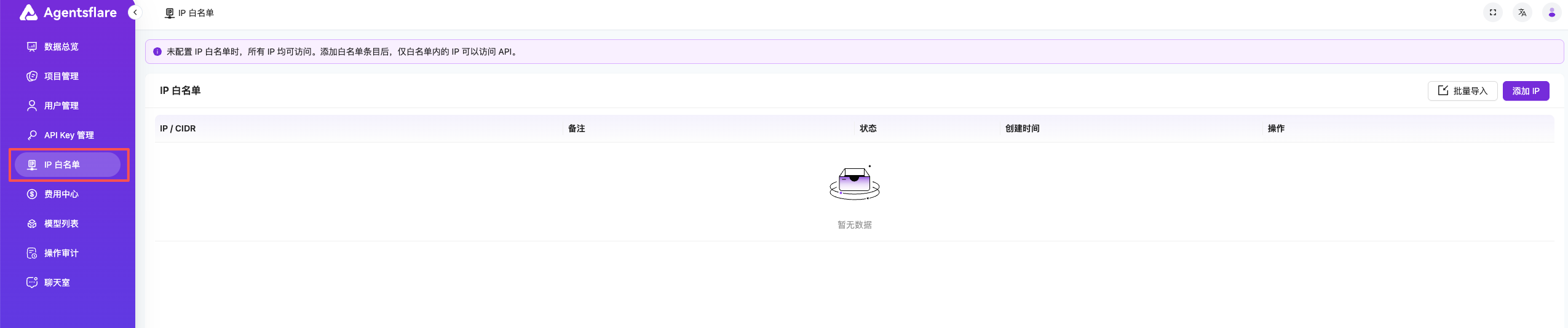
Figure 1: Left Sidebar - IP Whitelist Entry
Adding IP Addresses
On the IP Whitelist management page, click the "Add" button to add permitted IP addresses.

Figure 2: IP Whitelist Management Page - Add IP
Supported Formats
The IP Whitelist supports the following two formats:
| Format | Example | Description |
|---|---|---|
| Single IP | 203.0.113.50 | Matches a single IP address exactly |
| CIDR | 192.168.1.0/24 | Matches an IP range, e.g., 192.168.1.0 ~ 192.168.1.255 |
Adding Methods
Method 1: Add Individually
Enter a single IP or CIDR address in the input field and click "Confirm" to add.
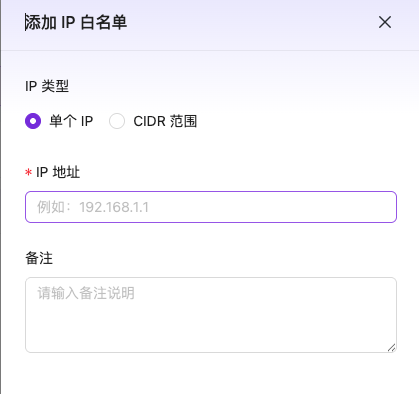
Figure 3: Add a Single IP Address
Method 2: Batch Import
Click the "Batch Import" button to import multiple IP addresses or CIDR blocks in bulk, one per line.
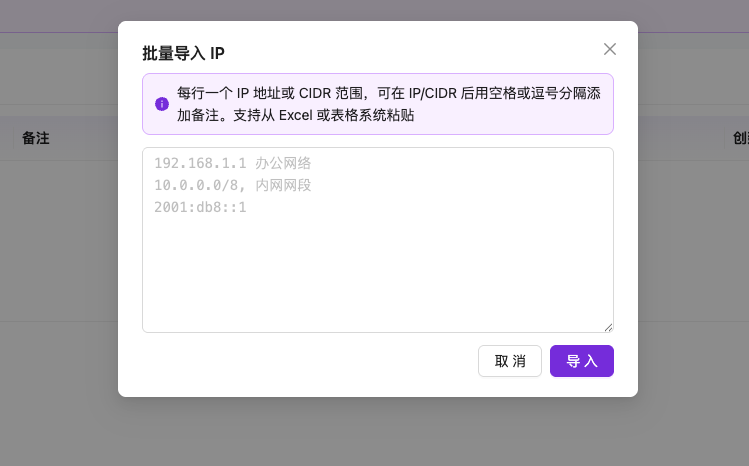
Figure 4: Batch Import IP Addresses
Important Notes
Note
- The IP Whitelist is a global configuration — once enabled, it applies to requests from all API Keys.
- Before adding a whitelist, make sure your current IP address is included in the list; otherwise, API requests will be rejected.
- If the whitelist is empty, no IP restrictions are enforced and all IPs can access the API.
- Changes to the whitelist take effect immediately — no service restart is needed.
FAQ
Q: What should I do if API requests return a 403 error after adding the whitelist?
Check whether the server IP making the requests has been added to the whitelist. If you're using a proxy or load balancer, make sure the egress IP address is added.
Q: How do I calculate the IP range for CIDR notation?
The number after / in CIDR represents the network prefix length. Common examples:
/32— Single IP (equivalent to entering the IP directly)/24— 256 IPs (e.g.,10.0.0.0/24matches10.0.0.0~10.0.0.255)/16— 65,536 IPs (e.g.,10.0.0.0/16matches10.0.0.0~10.0.255.255)
Q: Is there a limit on the number of entries for batch import?
It is recommended not to exceed 500 entries per batch import. For larger lists, import in multiple batches.